


 关联应用
关联应用
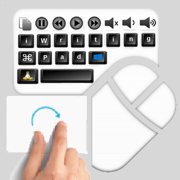
iWritingPad Keyboard Mouse
Handwriting@Windows Mac Linux
开发者: 2ConnectMe Limited

3019天23小时
最新版本上线距今
0
近1年版本更新次数
2013-10-24
全球最早版本上线日期
版本: 1.2.7
版本更新日期
2017-11-13
iWritingPad Keyboard Mouse
Handwriting@Windows Mac Linux
更新日志
- Remove all advertisements. The app becomes Advertisement Free.
- Improve Real Keyboard layout in iPad Pro and those high resolution iPhone devices.
- Live Chat support added and broken links fixed in Help page.应用描述
iWritingPad is able to deliver the same iPad user experience to users on computer PC including Microsoft Windows, Mac OSX and Linux. The iPad's touch screen gestures as remote mouse and handwriting recognition keyboard operate computer PC / Home Theatre PC (HTPC). While you are sitting on big screen of living room, hotel room or classroom environment, iWritingPad provides you with relaxed and convenient experience to browse internet. It is a "MUST-HAVE" tool for businessman and classroom teacher.
Handwriting and Voice Speech Recognition Function
- native iPad / iPhone's multi-language handwriting / Voice spoken sentences support as your input device to Windows 10, Windows 8, Windows 7, Vista, Apple desktops with OS X 10.6 or later and Linux from Ubuntu, Debian and Raspbian.
Mouse controlled by multi-touches gesture
- "1 finger moves" means MOUSE MOVE,
- "1 finger taps" means LEFT MOUSE CLICK,
- "2 fingers tap" means RIGHT MOUSE CLICK,
- "2 fingers drag" means MOUSE WHEEL SCROLLING,
- "1 finger holds and moves" means DRAG & DROP,
- "2 fingers pinch gesture" means MINIMISE WINDOWS,
- "2 fingers spread gesture" means MAXIMISE WINDOWS,
- "3 fingers drag" means MOVING WINDOWS,
- able to use mouse functions across multiple monitors of PC.
Keyboard Functions
- "Basic Keyboard" function provides handwriting and voice spoken to input the whole sentence and send to PC in one go. In-App purchase offers additional Accessory keys including Command and Option keys for Mac OS X, Windows and Alternate keys for Microsoft Windows, Super and Alternate keys for Linux and Volume control.
- Support Emoji symbols.
- "Real Keyboard" function provides direct typing at PC. In-App purchase offers additional Function keys (F1-F12), Editing control keys (Cut & Paste), iTunes controls (Apple OS X) or Media Player controls (Microsoft Windows), Rhythmbox Music Player (Default player for Linux), Speaker Volume control.
Universal app
- works for both iPad and iPhone. Single purchase will let you have iWritingPad on both iPad and iPhone capable to connect to all Mac, Windows and Linux.
Please visit us at http://www.iwritingpad.com for more detail information and live demo video.
iWritingPad Desktop Installation
It requires to install iWritingPad desktop client program on your Windows / Apple Mac OS X / Linux which can be downloaded, together with video tutorial for installation, at
http://www.iwritingpad.com/index.php/quick-download-installation/
These desktops are required to connect to the network same as iPad / iPhone.
For details, go to www.iwritignpad.com. Or, the iWritingPad client desktop programs can also be downloaded from the links below directly. Follow the video tutorials for such installation.
Microsoft Windows desktop and video tutorial
https://s3.amazonaws.com/iwritingpad-window/iWritingPad_installer_v1.2.1.msi
https://youtu.be/3swn2t1CNAg
Mac desktop and video tutorial
https://s3.amazonaws.com/iwritingpad-mac/iWritingPadClient_v1.1.1.zip
https://www.youtube.com/watch?v=JwZwLeYAsrk
Ubuntu desktop and video tutorial
https://s3.amazonaws.com/iwritingpad-ubuntu/iwritingpad_1.04.tar.gz
https://www.youtube.com/watch?v=f4c05QOtlQE
For Debian desktop and video tutorial
https://s3.amazonaws.com/iwritingpad-debian/iwritingpad_1.04-1.tar.gz
https://www.youtube.com/watch?v=c42vWvo4608
Raspbian (Raspberry Pi) desktop and video tutorial
https://s3.amazonaws.com/iwritingpad-raspbian/iwritingpad_1.04-1.tar.gz
https://www.youtube.com/watch?v=Xl-PSqYPtMk
Bluetooth connection
For those Apple Mac desktops, bluetooth connection is recommended to ensure data communication between desktops and iPad/iPhone. Please refer to desktop installation for Mac OS X at http://www.iwritingpad.com/index.php/desktop-installation
Contact Us
Live Chat
https://www.iwritingpad.com -> Contact us -> Live Chat
Or inside App's Help menu -> Support - Live Chat
Email
support@iwritingpad.com
Facebook: http://www.facebook.com/iwritingpad版本: 1.2.6
版本更新日期
2017-11-09
iWritingPad Keyboard Mouse
Handwriting@Windows Mac Linux
更新日志
- Remove all advertisements. The app becomes Advertisement Free.
- Improve Real Keyboard layout in iPad Pro and those high resolution iPhone devices.
- Live Chat support added and broken links fixed in Help page.应用描述
暂无应用描述数据
版本: 1.2.5
版本更新日期
2016-03-10
iWritingPad Keyboard Mouse
Handwriting@Windows Mac Linux
更新日志
Enhancements
- Support Emoji typing for Windows desktops PC.
- improvement on 2 figures scrolling functions. Screen scrolling becomes more smoothy in this release.
Downloads
It is required to download and install the latest iWritingPad desktop client program on your PC in the link below.
http://www.iwritingpad.com/index.php/quick-download-installation/应用描述
暂无应用描述数据
版本: 1.2.4
版本更新日期
2016-02-12
iWritingPad Keyboard Mouse
Handwriting@Windows Mac Linux
更新日志
Enhancements
1. New major Linux desktops are supported, Ubuntu, Debian, Raspbian (Raspberry pi).
2. Improve the layout of keys in the Basic keyboard and Real keyboard.
Fixings
1. Fix the issues on the "Help" menu items of Logon screen.应用描述
暂无应用描述数据
版本: 1.2.3
版本更新日期
2016-01-15
iWritingPad Keyboard Mouse
Handwriting@Windows Mac Linux
更新日志
New functions
- Adding support to Linux desktops.应用描述
暂无应用描述数据
版本: 1.2.2
版本更新日期
2015-11-11
iWritingPad Keyboard Mouse
Handwriting@Windows Mac Linux
更新日志
Enhancements in version 1.2.2
1. Minor fixes on the keys of Real keyboard.
2. Fixes on iTunes's control keys, "Stop", "Play", and "Pause" keys for Mac.
2. Compatibility tested and verified for iOS 9.1.
3. Improve customer purchasing experience.
Installation of iWritingPad client program
The latest program sources and procedures for both Mac and Windows could be downloaded from the link: http://www.iwritingpad.com/index.php/quick-download-installation/
You are needed to install or update iWritingPad desktop client if
1. If you are new to iWritingPad, Install the latest iWritingPad client program on your PC.
2. If you are users of Mac desktop, please download the latest iWritingPad desktop client ver 1.1.1.for the latest fixes.
3. if you are existing users of iWritingPad version earlier than v1.2.0, iWritingPad will prompt you to install the latest iWritingPad client program on your PC where needed.应用描述
暂无应用描述数据
版本: 1.2.1
版本更新日期
2015-10-19
iWritingPad Keyboard Mouse
Handwriting@Windows Mac Linux
更新日志
Issues fixed in version 1.2.1
1. Urgent fixes on compatibility issues to work on iOS 9.0.
2. Improve user experiences on purchasing In-Apps items.
Installation of iWritingPad client program
1. If you are new to iWritingPad, Install the latest iWritingPad client program on your PC. The source and the procedures could be download from the link: http://www.iwritingpad.com/index.php/quick-download-installation/
2. if you are existing users of iWritingPad, iWritingPad may prompt you to install the latest iWritingPad client program on your PC where needed. If prompted, please go to the link to download the source for such installation. http://www.iwritingpad.com/index.php/quick-download-installation/应用描述
暂无应用描述数据
版本: 1.2.0
版本更新日期
2015-09-15
iWritingPad Keyboard Mouse
Handwriting@Windows Mac Linux
更新日志
Improvements
1. Real keyboard supports direct input text mode, Functional keys (F1-F12) and Accessory keys and short-cut keys.
2. Accessory keys provide Ctrl, Alt, Option (Mac) & Windows (Microsoft) keys.
3. Short-cut keys provide Volume control, Media Player (Microsoft) or iTunes (Mac OS X) control and Editing (Cut & Paste).
4. Double clicks for Mac is provided.
5. New "Tick" button for resending the text line to PC again.
6. Support iOS 7 and iOS8.
7. iWritingPad client support new platforms Apple OS X Yosemite, EI Capitan and Microsoft Windows 10.
Fixed issues
1. Issues in Minimise & Maximise windows of Mac for latest OS X Yosemite.
2. Enhance the auto-detection IP address of iWritingPad client (PC).
3. Unexpected response for new gesture swipe from left ledge to right in iOS 7and iOS 8.应用描述
暂无应用描述数据
版本: 1.1.2
版本更新日期
2014-01-16
iWritingPad Keyboard Mouse
Handwriting@Windows Mac Linux
更新日志
Improvements
1. Apple Mac desktops with OS X 10.6 or later are also supported from this release.
2. For those Apple Mac desktops, bluetooth connection is supported and recommended to ensure smooth data communication between desktops and iPad/iPhone. Please refer to desktop installation for Mac OS X at http://www.iwritingpad.com/index.php/desktop-installation
The following issue is fixed.
1. Enhances the auto-detection IP address of iWritingPad client (PC).
Installation
- Please update iWritingPad from Apple App Store.
- Please download the latest iWritingPad client to get it re-installed on your PCs . It could be downloaded, together with procedures in video format, from the link below:
http://www.iwritingpad.com/index.php/download应用描述
暂无应用描述数据
版本: 1.1.1
版本更新日期
2013-12-05
iWritingPad Keyboard Mouse
Handwriting@Windows Mac Linux
更新日志
Improvements
1. The following new gestures are added.
- Two Fingers Swipe Up: Page Down.
- Two Fingers Swipe Down: Page Up.
- Two Fingers Swipe Right: Page Down.
- Two Fingers Swipe Left: Page Up.
The gestures above are added to enhance the existing scrolling operation with two fingers drag.
2. User Interfaces are enhanced to work under IOS7.
The following issues are fixed.
1. Unexpected "Page Down" operation is triggered under some conditions when one finger drags for mouse movement.
2. A minor fixes on the security control on the iWritingPad Desktop Client program.
Installation
- Please update the iWritingPad from Apple App Store.
- Please update the iWritingPad Desktop Client program (ver 1.1.1) which could be downloaded, together with procedures in video format, from the link below:
http://www.iwritingpad.com/index.php/download应用描述
暂无应用描述数据






微信公众号

七麦数据公众号

七麦研究院公众号
APP下载
- IOS
- Android

@2014-2022 qimai.cn,北京七麦科技股份有限公司 All Rights Reserved. 京ICP备14049953号
 京公网安备 11010502041000号






