


 关联应用
关联应用

Poster Printing
Large image on multiple pages
开发者: Vitalij Schaefer

184天18小时
最新版本上线距今
2
近1年版本更新次数
2022-05-24
全球最早版本上线日期
版本: 3.2
版本更新日期
2025-09-04

Poster Printing
Large image on multiple pages
更新日志
Bug fixes and improvements应用描述
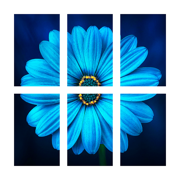
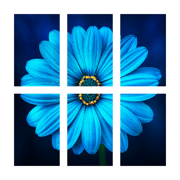
With this app, an image can be printed as a large poster.
The image is divided into several pages for this purpose.
After printing, the white border must be cut off in order to assemble the individual pages into a poster.
A thin border line is printed to help with the cutting.
The pages are numbered barely visible at the bottom left to avoid confusion when putting together the poster.
Printing of page numbers can be deactivated in the settings.
The image is automatically rotated to better fit the paper size to reduce the number of pages needed.
In the free version of this app, ads are displayed and the size of the poster is limited to 60 centimeters and 24 inches.
The size limit can be extended with a one-time in-app purchase.
The ads can be completely removed with another one-time in-app purchase.
Please note that very large posters require a large number of pages to be printed.
Please check the entered size in order not to waste paper unnecessarily.版本: 3.1
版本更新日期
2025-05-21
Poster Printing
Large image on multiple pages
更新日志
Improved clipboard support. Images copied from other apps now retain their original quality and resolution.应用描述
With this app, an image can be printed as a large poster.
The image is divided into several pages for this purpose.
After printing, the white border must be cut off in order to assemble the individual pages into a poster.
A thin border line is printed to help with the cutting.
The pages are numbered barely visible at the bottom left to avoid confusion when putting together the poster.
Printing of page numbers can be deactivated in the settings.
The image is automatically rotated to better fit the paper size to reduce the number of pages needed.
In the free version of this app, ads are displayed and the size of the poster is limited to 60 centimeters and 24 inches.
The size limit can be extended with a one-time in-app purchase.
The ads can be completely removed with another one-time in-app purchase.
Please note that very large posters require a large number of pages to be printed.
Please check the entered size in order not to waste paper unnecessarily.版本: 3.0
版本更新日期
2025-02-20

Poster Printing
Large image on multiple pages
更新日志
The intensity of filters in the image editor can now be adjusted with a slider. Additionally, a filter for sharpening photos has been added.应用描述
With this app, an image can be printed as a large poster.
The image is divided into several pages for this purpose.
After printing, the white border must be cut off in order to assemble the individual pages into a poster.
A thin border line is printed to help with the cutting.
The pages are numbered barely visible at the bottom left to avoid confusion when putting together the poster.
Printing of page numbers can be deactivated in the settings.
The image is automatically rotated to better fit the paper size to reduce the number of pages needed.
In the free version of this app, ads are displayed and the size of the poster is limited to 60 centimeters and 24 inches.
The size limit can be extended with a one-time in-app purchase.
The ads can be completely removed with another one-time in-app purchase.
Please note that very large posters require a large number of pages to be printed.
Please check the entered size in order not to waste paper unnecessarily.版本: 2.9
版本更新日期
2024-09-03

Poster Printing
Large image on multiple pages
更新日志
Improved app stability by identifying and resolving potential crash causes.应用描述
With this app, an image can be printed as a large poster.
The image is divided into several pages for this purpose.
After printing, the white border must be cut off in order to assemble the individual pages into a poster.
A thin border line is printed to help with the cutting.
The pages are numbered barely visible at the bottom left to avoid confusion when putting together the poster.
Printing of page numbers can be deactivated in the settings.
The image is automatically rotated to better fit the paper size to reduce the number of pages needed.
In the free version of this app, ads are displayed and the size of the poster is limited to 60 centimeters and 24 inches.
The size limit can be extended with a one-time in-app purchase.
The ads can be completely removed with another one-time in-app purchase.
Please note that very large posters require a large number of pages to be printed.
Please check the entered size in order not to waste paper unnecessarily.版本: 2.8
版本更新日期
2024-06-22
Poster Printing
Large image on multiple pages
更新日志
Bug fixes and improvements应用描述
暂无应用描述数据
版本: 2.7
版本更新日期
2024-03-31
Poster Printing
Large image on multiple pages
更新日志
Bug fixes and improvements应用描述
With this app, an image can be printed as a large poster.
The image is divided into several pages for this purpose.
After printing, the white border must be cut off in order to assemble the individual pages into a poster.
A thin border line is printed to help with the cutting.
The pages are numbered barely visible at the bottom left to avoid confusion when putting together the poster.
Printing of page numbers can be deactivated in the settings.
The image is automatically rotated to better fit the paper size to reduce the number of pages needed.
In the free version of this app, ads are displayed and the size of the poster is limited to 60 centimeters and 24 inches.
The size limit can be extended with a one-time in-app purchase.
The ads can be completely removed with another one-time in-app purchase.
Please note that very large posters require a large number of pages to be printed.
Please check the entered size in order not to waste paper unnecessarily.版本: 2.6
版本更新日期
2024-02-22
Poster Printing
Large image on multiple pages
更新日志
Bug fixes and improvements应用描述
暂无应用描述数据
版本: 2.5
版本更新日期
2023-11-06

Poster Printing
Large image on multiple pages
更新日志
Adapted to the new operating system and new devices.应用描述
With this app, an image can be printed as a large poster.
The image is divided into several pages for this purpose.
After printing, the white border must be cut off in order to assemble the individual pages into a poster.
A thin border line is printed to help with the cutting.
The pages are numbered barely visible at the bottom left to avoid confusion when putting together the poster.
Printing of page numbers can be deactivated in the settings.
The image is automatically rotated to better fit the paper size to reduce the number of pages needed.
In the free version of this app, ads are displayed and the size of the poster is limited to 60 centimeters and 24 inches.
The size limit can be extended with a one-time in-app purchase.
The ads can be completely removed with another one-time in-app purchase.
Please note that very large posters require a large number of pages to be printed.
Please check the entered size in order not to waste paper unnecessarily.版本: 2.4
版本更新日期
2023-07-15

Poster Printing
Large image on multiple pages
更新日志
Bug fixes and improvements应用描述
With this app, an image can be printed as a large poster.
The image is divided into several pages for this purpose.
After printing, the white border must be cut off in order to assemble the individual pages into a poster.
A thin border line is printed to help with the cutting.
The pages are numbered barely visible at the bottom left to avoid confusion when putting together the poster.
Printing of page numbers can be deactivated in the settings.
The image is automatically rotated to better fit the paper size to reduce the number of pages needed.
In the free version of this app, ads are displayed and the size of the poster is limited to 60 centimeters and 24 inches.
The size limit can be extended with a one-time in-app purchase.
The ads can be completely removed with another one-time in-app purchase.
Please note that very large posters require a large number of pages to be printed.
Please check the entered size in order not to waste paper unnecessarily.版本: 2.3
版本更新日期
2023-07-06

Poster Printing
Large image on multiple pages
更新日志
Optimization of image preview during selection.应用描述
With this app, an image can be printed as a large poster.
The image is divided into several pages for this purpose.
After printing, the white border must be cut off in order to assemble the individual pages into a poster.
A thin border line is printed to help with the cutting.
The pages are numbered barely visible at the bottom left to avoid confusion when putting together the poster.
Printing of page numbers can be deactivated in the settings.
The image is automatically rotated to better fit the paper size to reduce the number of pages needed.
In the free version of this app, ads are displayed and the size of the poster is limited to 60 centimeters and 24 inches.
The size limit can be extended with a one-time in-app purchase.
The ads can be completely removed with another one-time in-app purchase.
Please note that very large posters require a large number of pages to be printed.
Please check the entered size in order not to waste paper unnecessarily.






微信公众号

七麦数据公众号

七麦研究院公众号
APP下载
- IOS
- Android

@2014-2022 qimai.cn,北京七麦科技股份有限公司 All Rights Reserved. 京ICP备14049953号
 京公网安备 11010502041000号






